Reviving Very Old X Code
I've taken the week between Christmas and New Year's off this year. I didn't really have anything serious planned, just taking a break from the usual routine. As often happens, I got sucked into doing a project when I received this simple bug report Debian Bug #974011
I have been researching old terminal and X games recently, and realized
that much of the code from 'xmille' originated from the terminal game
'mille', which is part of bsdgames.

...

[The copyright and license information] has been stripped out of all
code in the xmille distribution.  Also, none of the included materials
give credit to the original author, Ken Arnold.
The reason the 'xmille' source is missing copyright and license information from the 'mille' files is that they were copied in before that information was added upstream. Xmille forked from Mille around 1987 or so. I wrote the UI parts for the system I had at the time, which was running X10R4. A very basic port to X11 was done at some point, and that's what Debian has in the archive today.
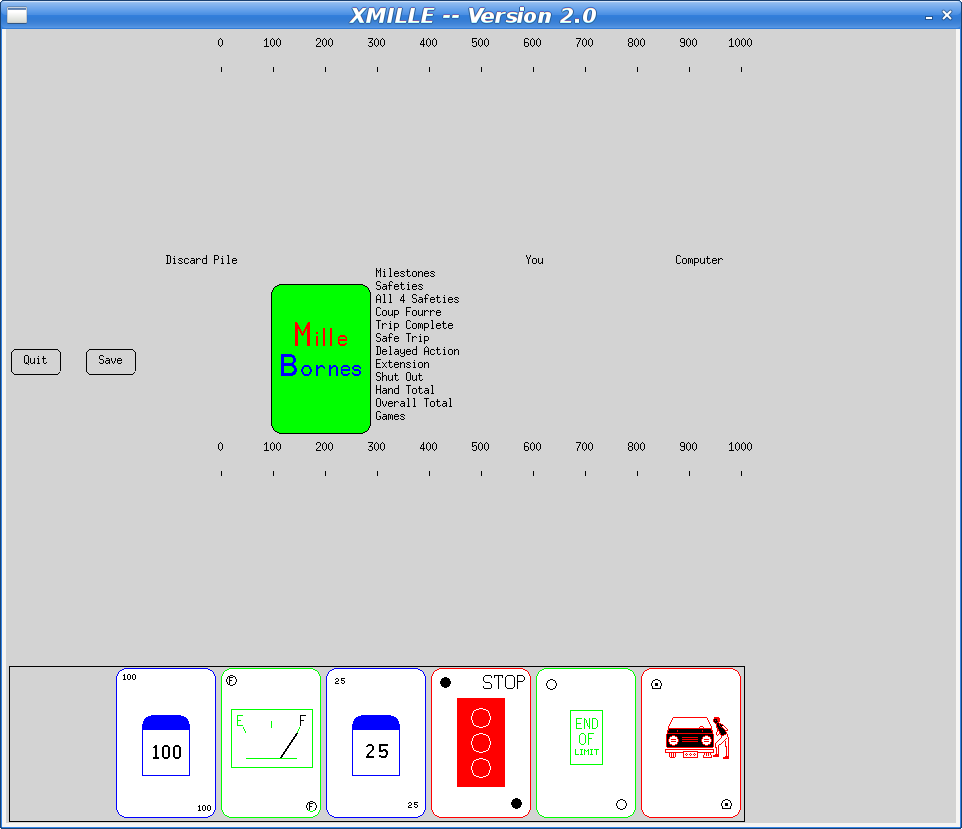
At some point in the 90s, I ported Xmille to the Athena widget set, including several custom widgets in an Xaw extension library, Xkw. It's a lot better than the version in Debian, including displaying the cards correctly (the Debian version has some pretty bad color issues).
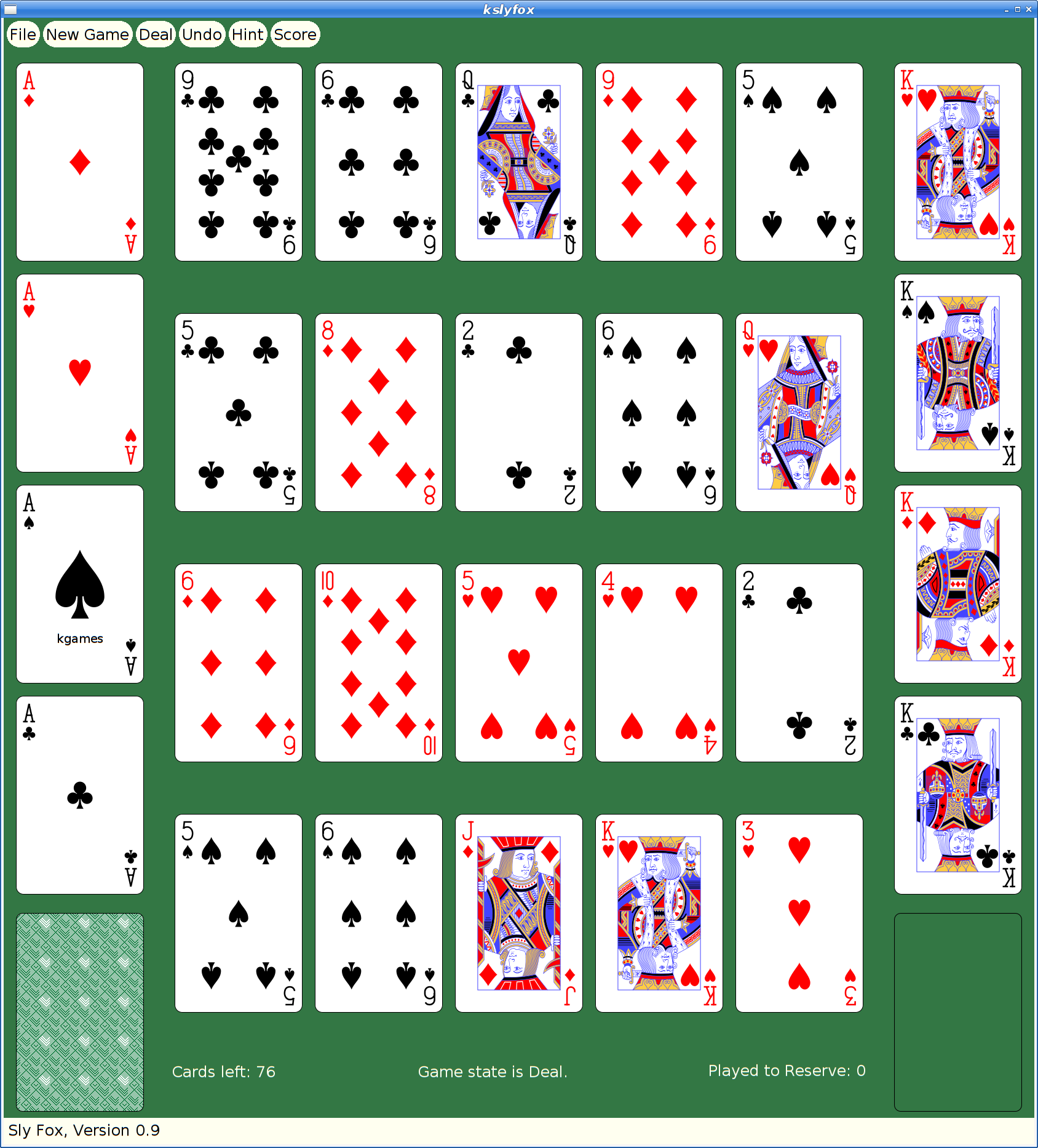
Here's what the current Debian version looks like:
Fixing The Bug
To fix the missing copyright and license information, I imported the mille source code into the "latest" Xaw-based version. The updated mille code had a number of bug fixes and improvements, along with the copyright information.
That should have been sufficient to resolve the issue and I could have constructed a suitable source package from whatever bits were needed and and uploaded that as a replacement 'xmille' package.
However, at some later point, I had actually merged xmille into a larger package, 'kgames', which also included a number of other games, including Reversi, Dominoes, Cribbage and ten Solitaire/Patience variants. (as an aside, those last ten games formed the basis for my Patience Palm Pilot application, which seems to have inspired an Android App of the same name...)
So began my yak shaving holiday.
Building Kgames in 2020
Ok, so getting this old source code running should be easy, right? It's just a bunch of C code designed in the 80s and 90s to work on VAXen and their kin. How hard could it be?
Everything was a 32-bit computer back then; pointers and ints were both 32 bits, so you could cast them with wild abandon and cause no problems. Today, testing revealed segfaults in some corners of the code.
It's K&R C code. Remember that the first version of ANSI-C didn't come out until 1989, and it was years later that we could reliably expect to find an ANSI compiler with a random Unix box.
It's X11 code. Fortunately (?), X11 hasn't changed since these applications were written, so at least that part still works just fine. Imagine trying to build Windows or Mac OS code from the early 90's on a modern OS...
I decided to dig in and add prototypes everywhere; that found a lot of pointer/int casting issues, as well as several lurking bugs where the code was just plain broken.
After a day or so, I had things building and running and was no longer hitting crashes.
Kgames 1.0 uploaded to Debian New Queue
With that done, I decided I could at least upload the working bits to the Debian archive and close the bug reported above. kgames 1.0-2 may eventually get into unstable, presumably once the Debian FTP team realizes just how important fixing this bug is. Or something.
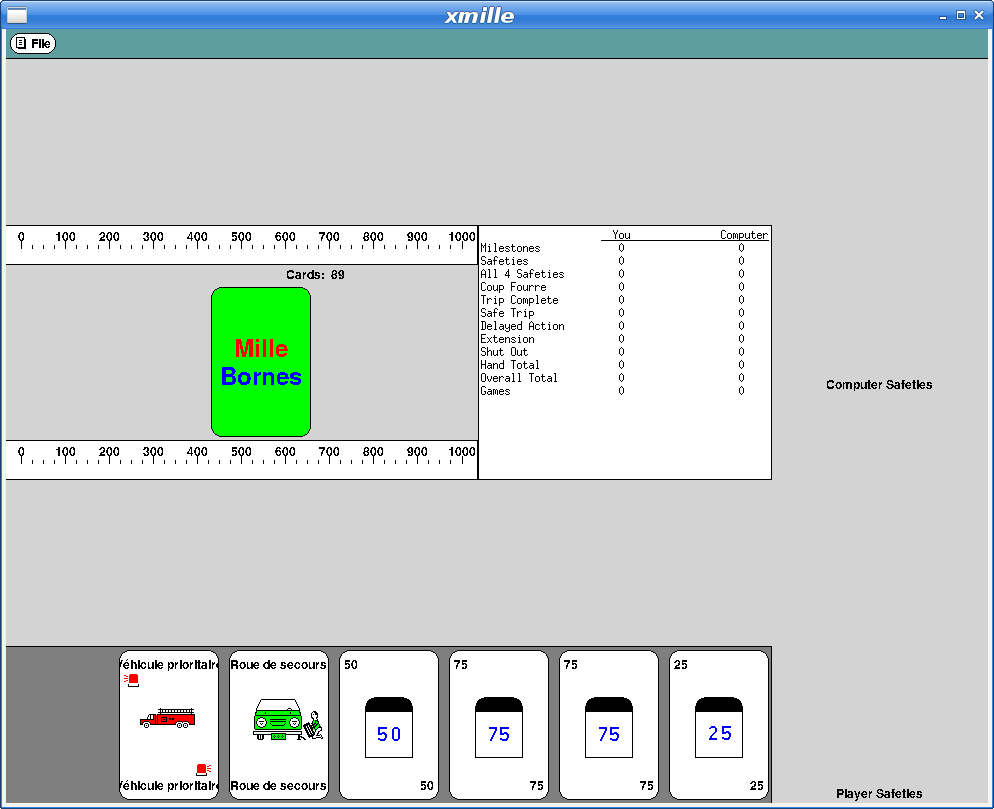
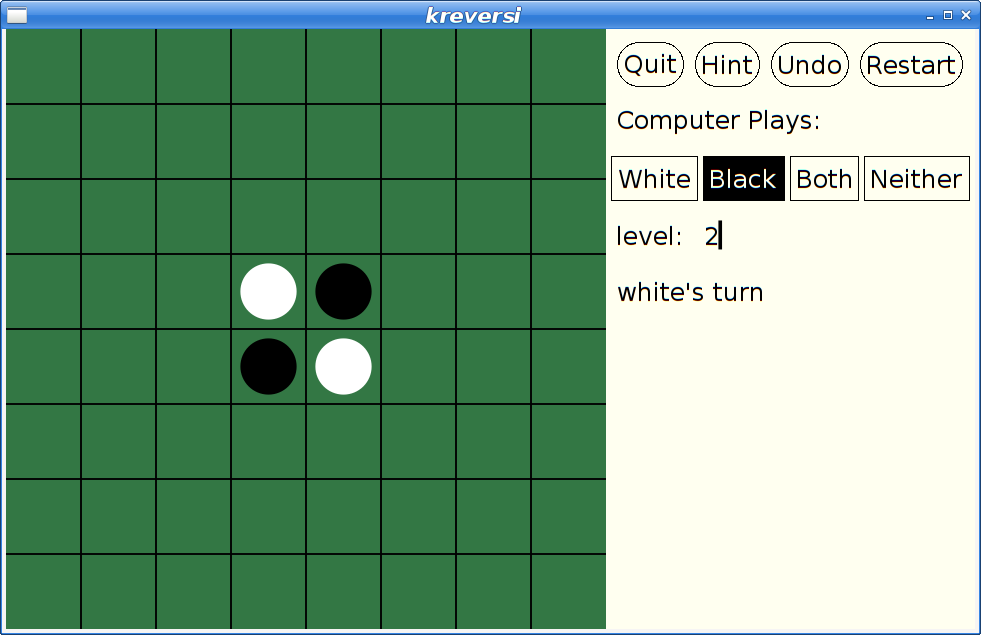
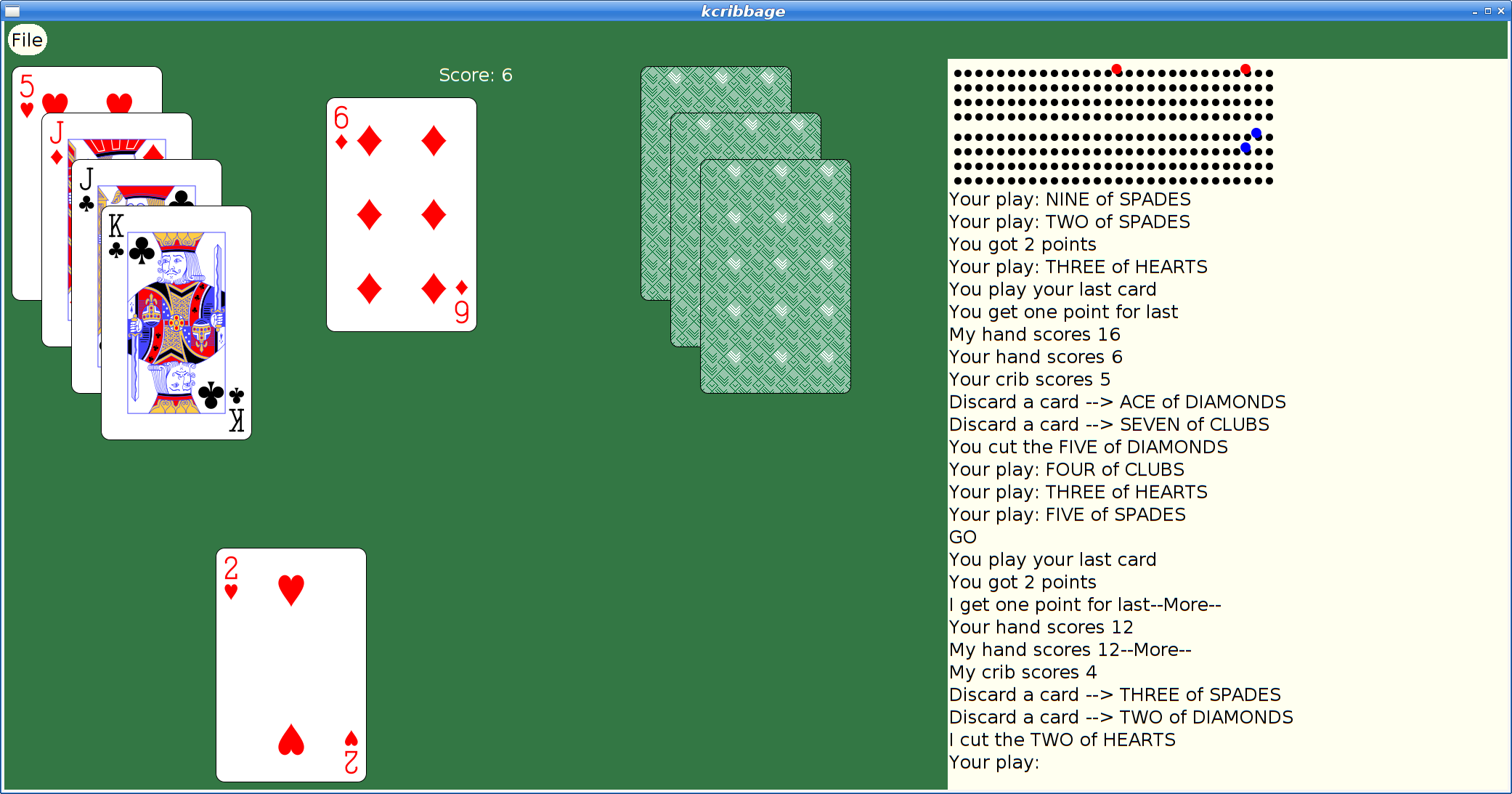
Here's what xmille looks like in this version:
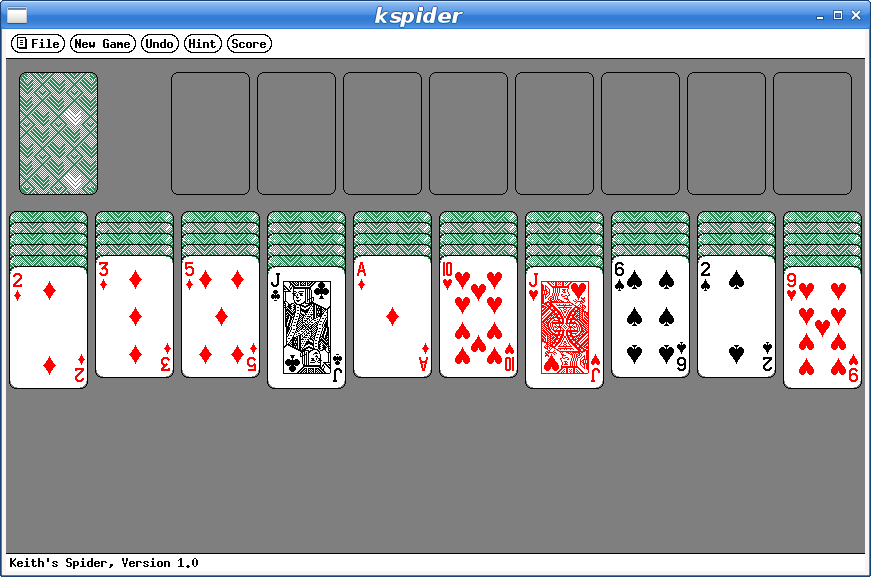
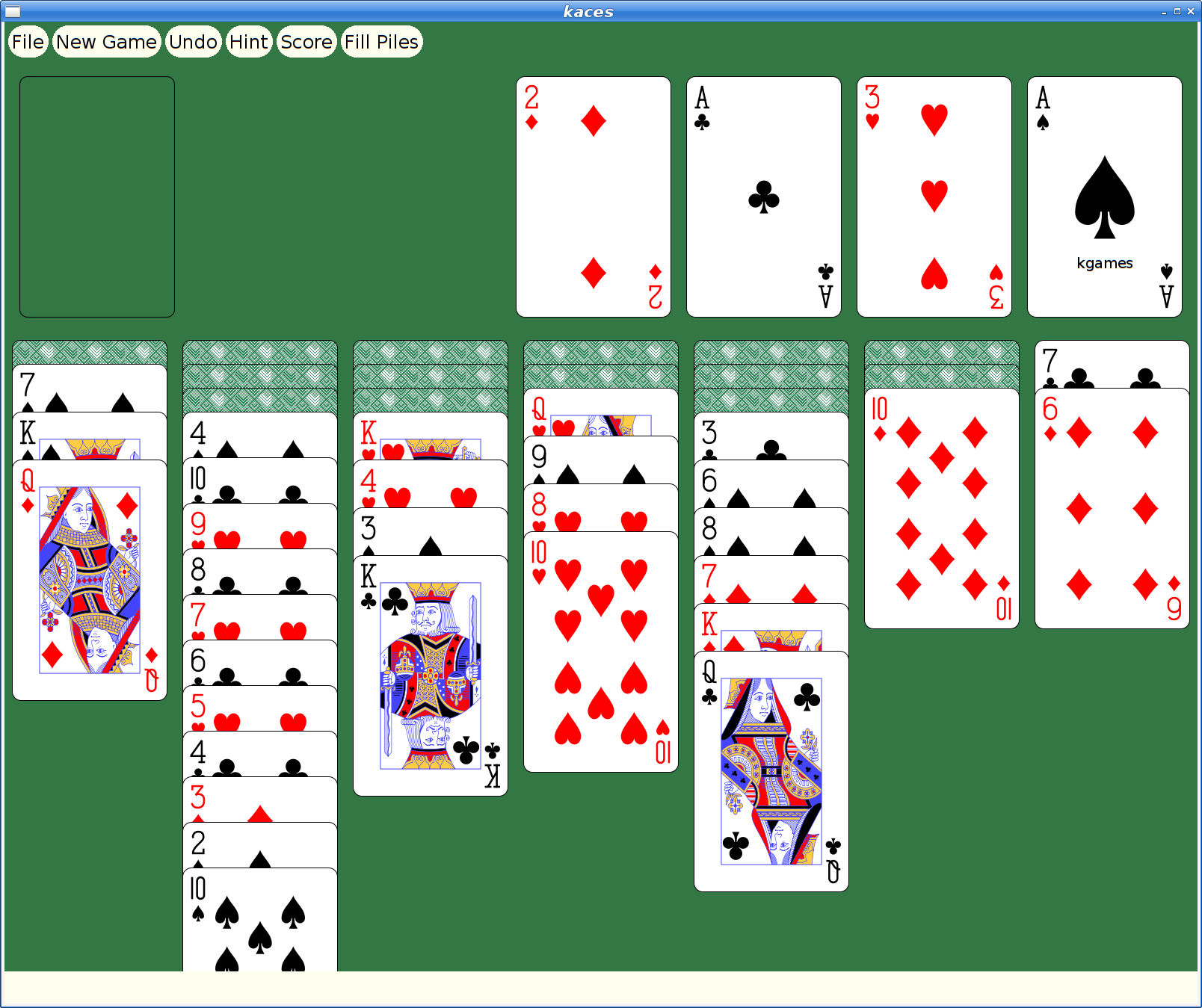
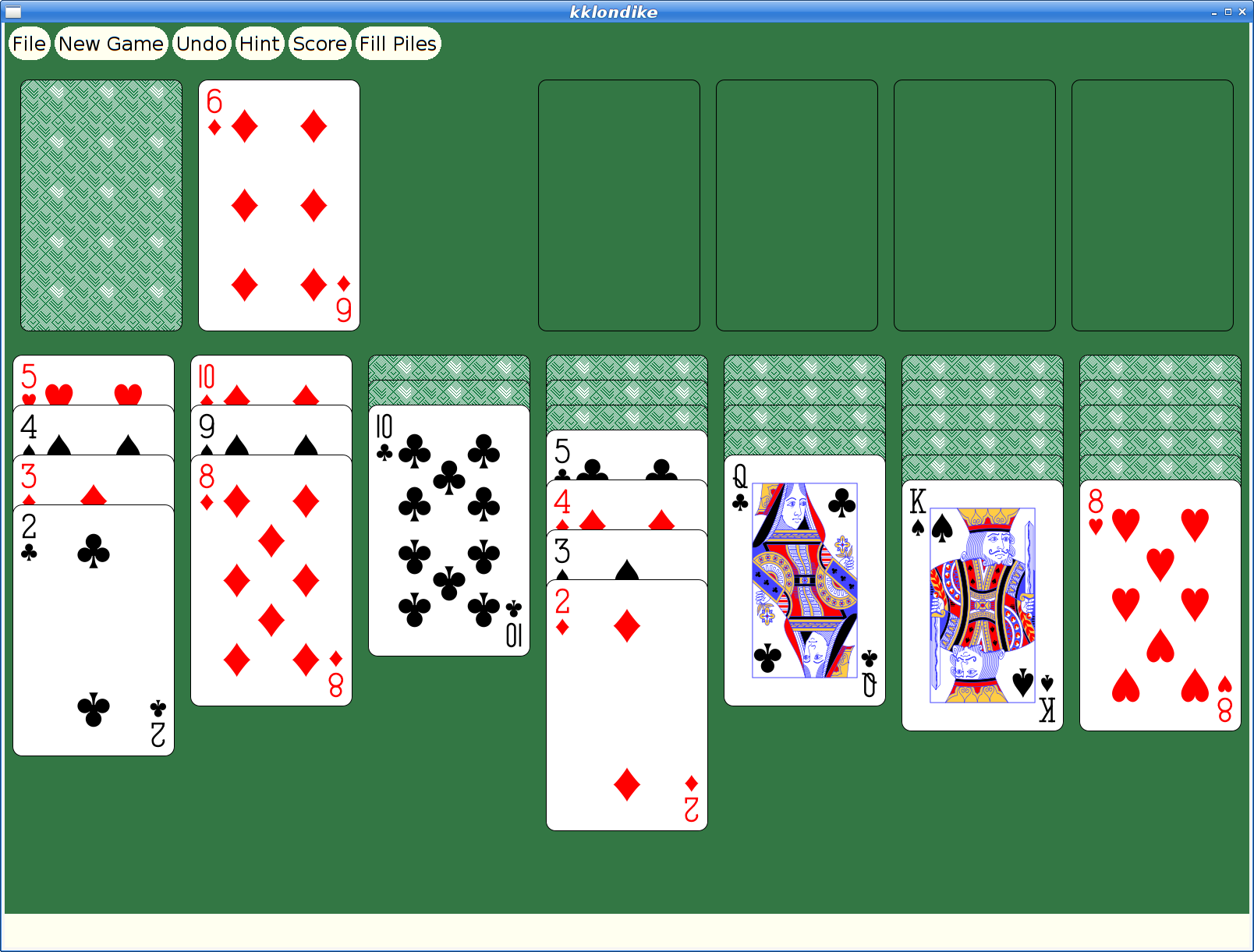
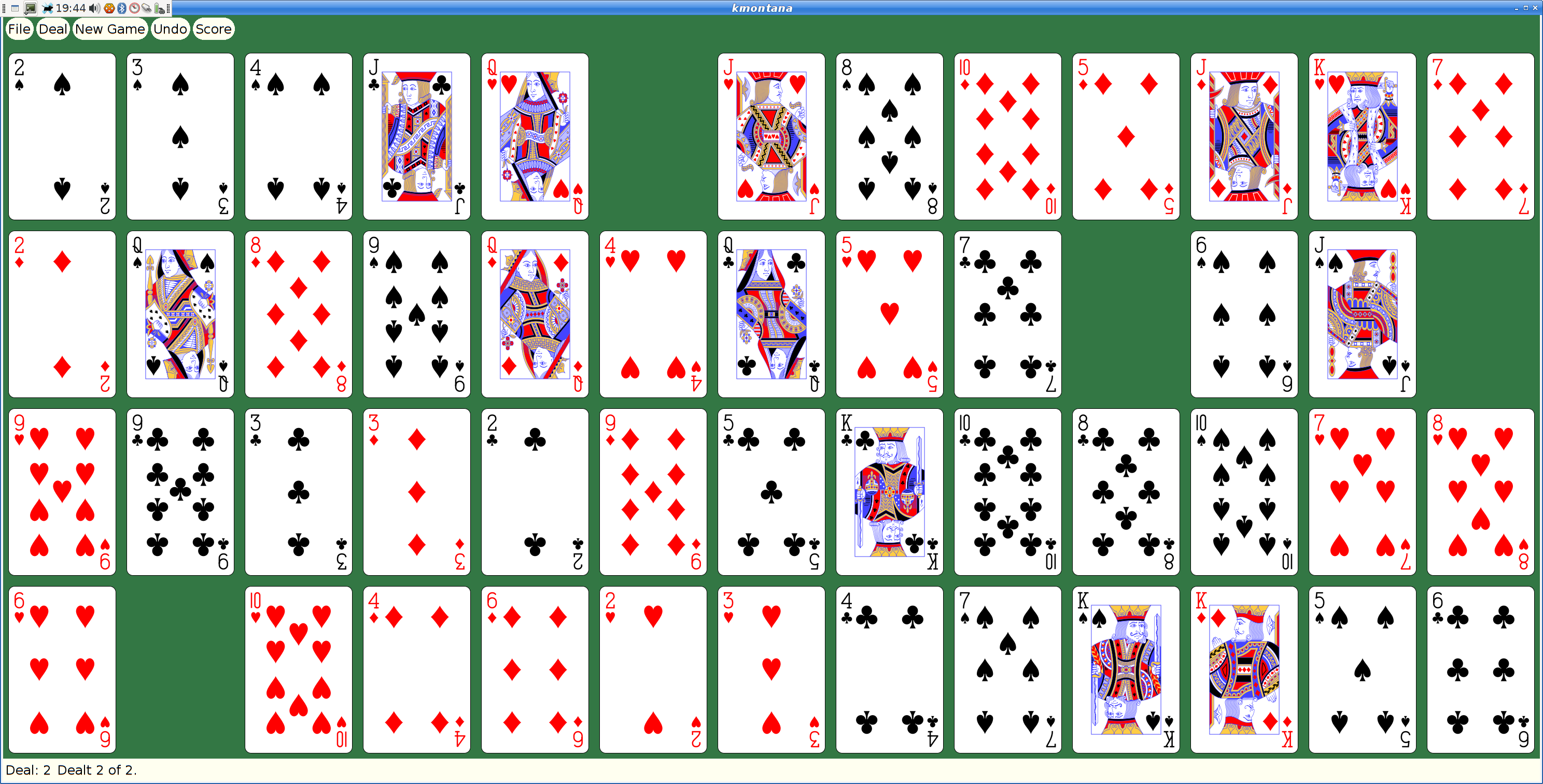
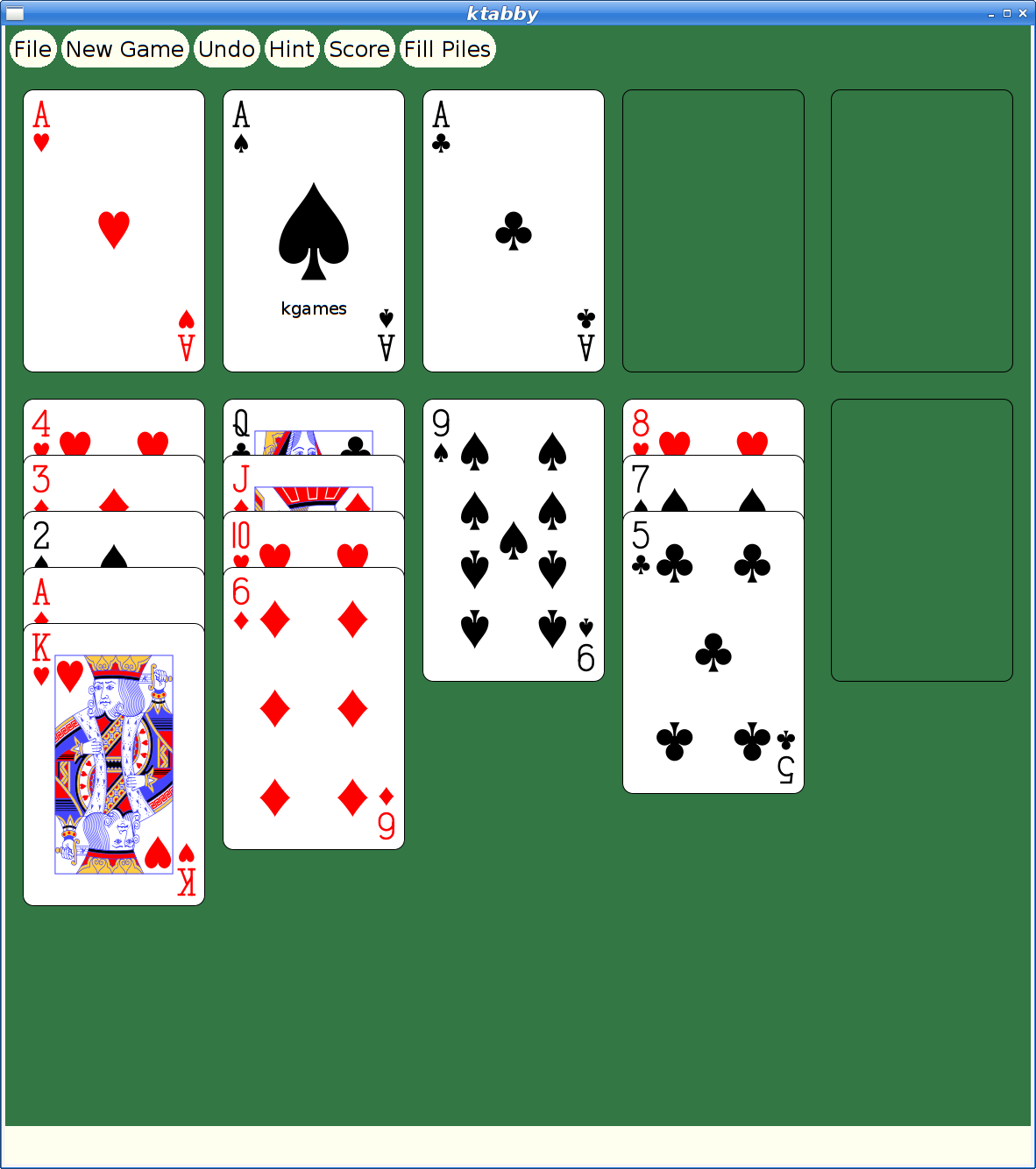
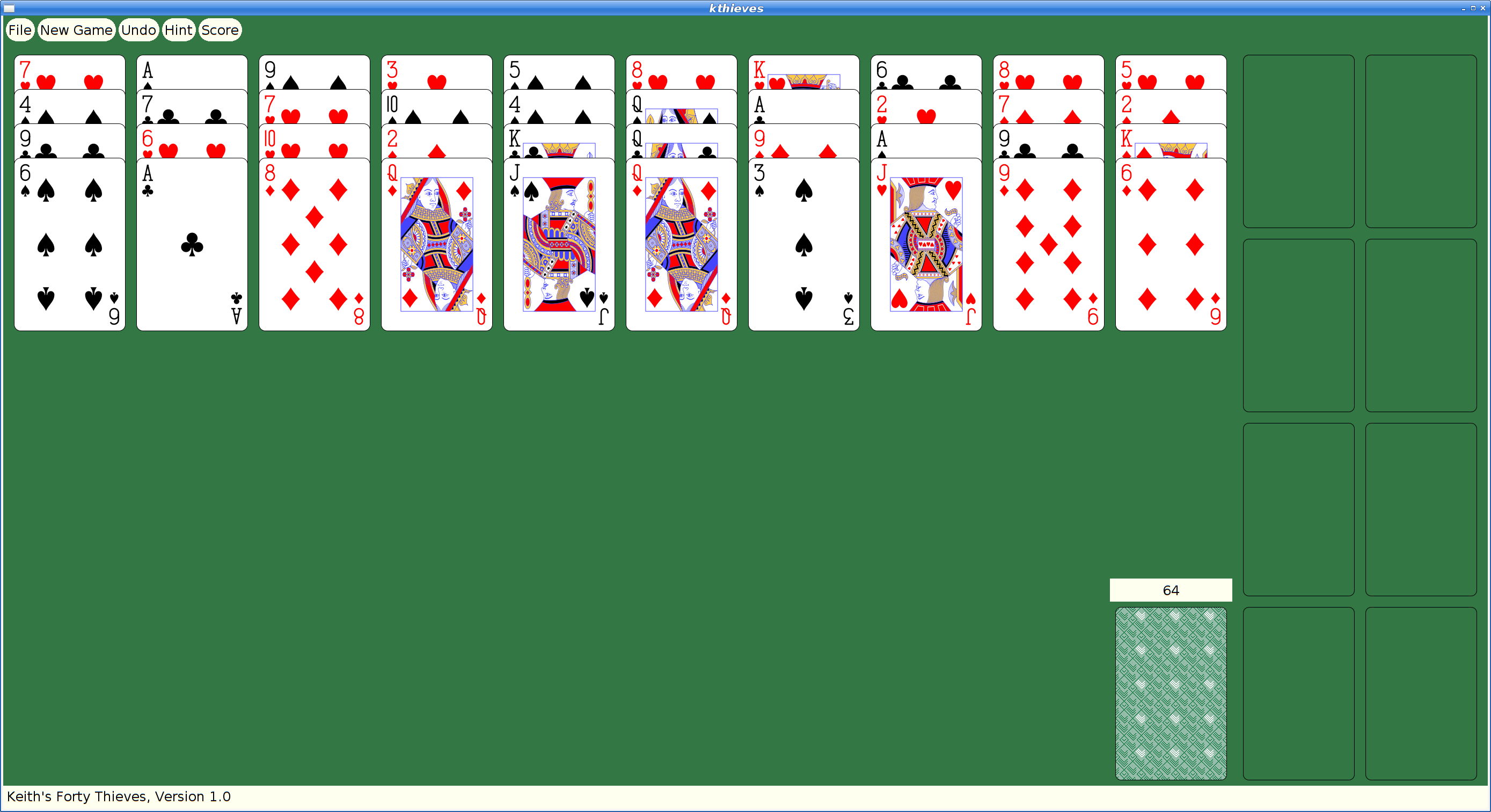
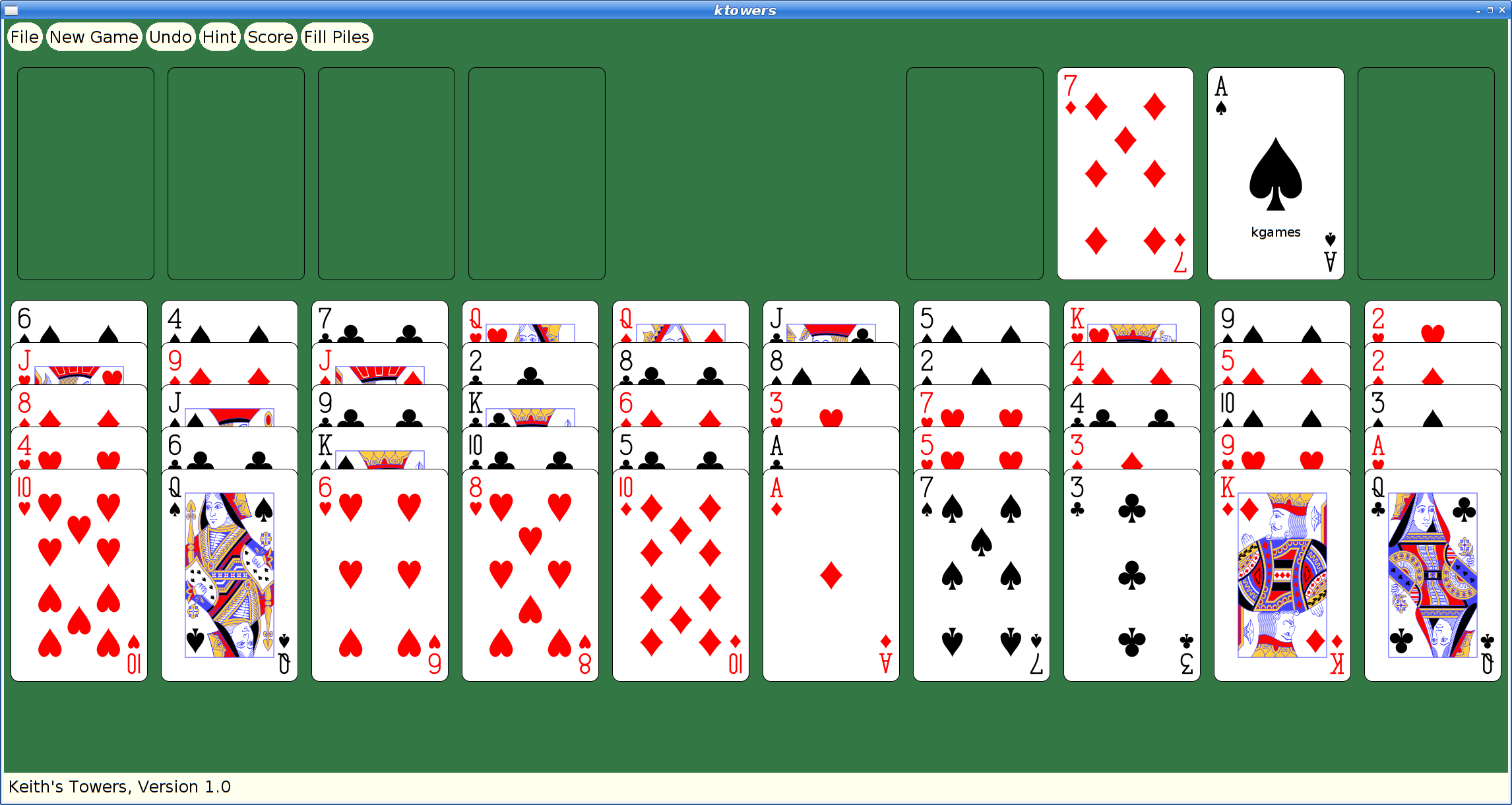
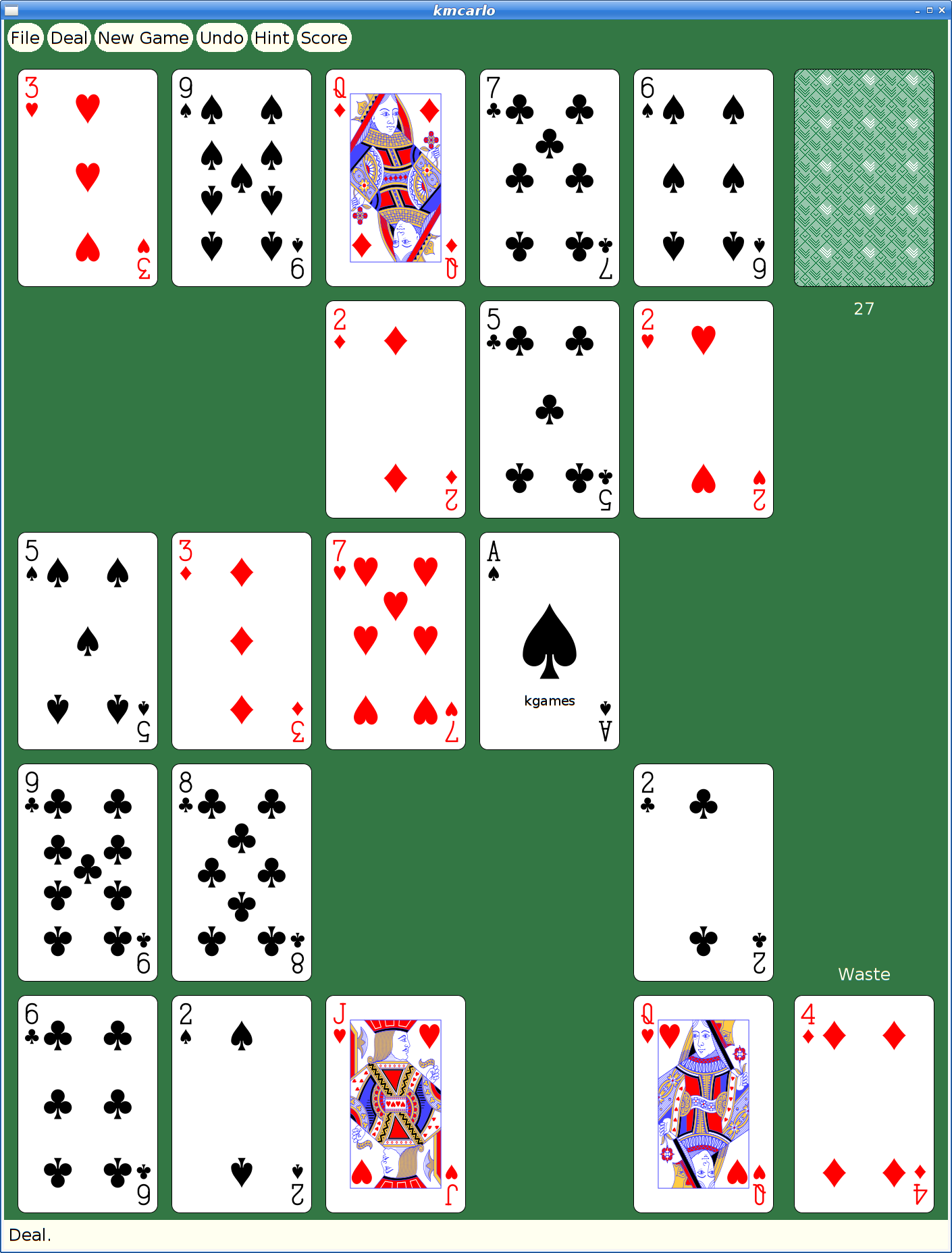
And here's my favorite solitaire variant too:
But They Look So Old
Yeah, Xaw applications have a rustic appearance which may appeal to some, but for people with higher resolution monitors and “well seasoned” eyesight, squinting at the tiny images and text makes it difficult to enjoy these games today.
How hard could it be to update them to use larger cards and scalable fonts?
Xkw version 2.0
I decided to dig in and start hacking the code, starting by adding new widgets to the Xkw library that used cairo for drawing instead of core X calls. Fortunately, the needs of the games were pretty limited, so I only needed to implement a handful of widgets:
KLabel. Shows a text string. It allows the string to be left, center or right justified. And that's about it.
KCommand. A push button, which uses KLabel for the underlying presentation.
KToggle. A push-on/push-off button, which uses KCommand for most of the implementation. Also supports 'radio groups' where pushing one on makes the others in the group turn off.
KMenuButton. A button for bringing up a menu widget; this is some pretty simple behavior built on top of KCommand.
KSimpleMenu, KSmeBSB, KSmeLine. These three create pop-up menus; KSimpleMenu creates a container which can hold any number of KSmeBSB (string) and KSmeLine (separator lines) objects).
KTextLine. A single line text entry widget.
The other Xkw widgets all got their rendering switched to using cairo, plus using double buffering to make updates look better.
SVG Playing Cards
Looking on wikimedia, I found a page referencing a large number of playing cards in SVG form That led me to Adrian Kennard's playing card web site that let me customize and download a deck of cards, licensed using the CC0 Public Domain license.
With these cards, I set about rewriting the Xkw playing card widget, stripping out three different versions of bitmap playing cards and replacing them with just these new SVG versions.
SVG Xmille Cards
Ok, so getting regular playing cards was good, but the original goal was to update Xmille, and that has cards hand drawn by me. I could just use those images, import them into cairo and let it scale them to suit on the screen. I decided to experiment with inkscape's bitmap tracing code to see what it could do with them.
First, I had to get them into a format that inkscape could parse. That turned out to be a bit tricky; the original format is as a set of X bitmap layers; each layer painting a single color. I ended up hacking the Xmille source code to generate the images using X, then fetching them with XGetImage and walking them to construct XPM format files which could then be fed into the portable bitmap tools to create PNG files that inkscape could handle.
The resulting images have a certain charm:

I did replace the text in the images to make it readable, otherwise these are untouched from what inkscape generated.
The Results
Remember that all of these are applications built using the venerable X toolkit; there are still some non-antialiased graphics visible as the shaped buttons use the X Shape extension. But, all rendering is now done with cairo, so it's all anti-aliased and all scalable.
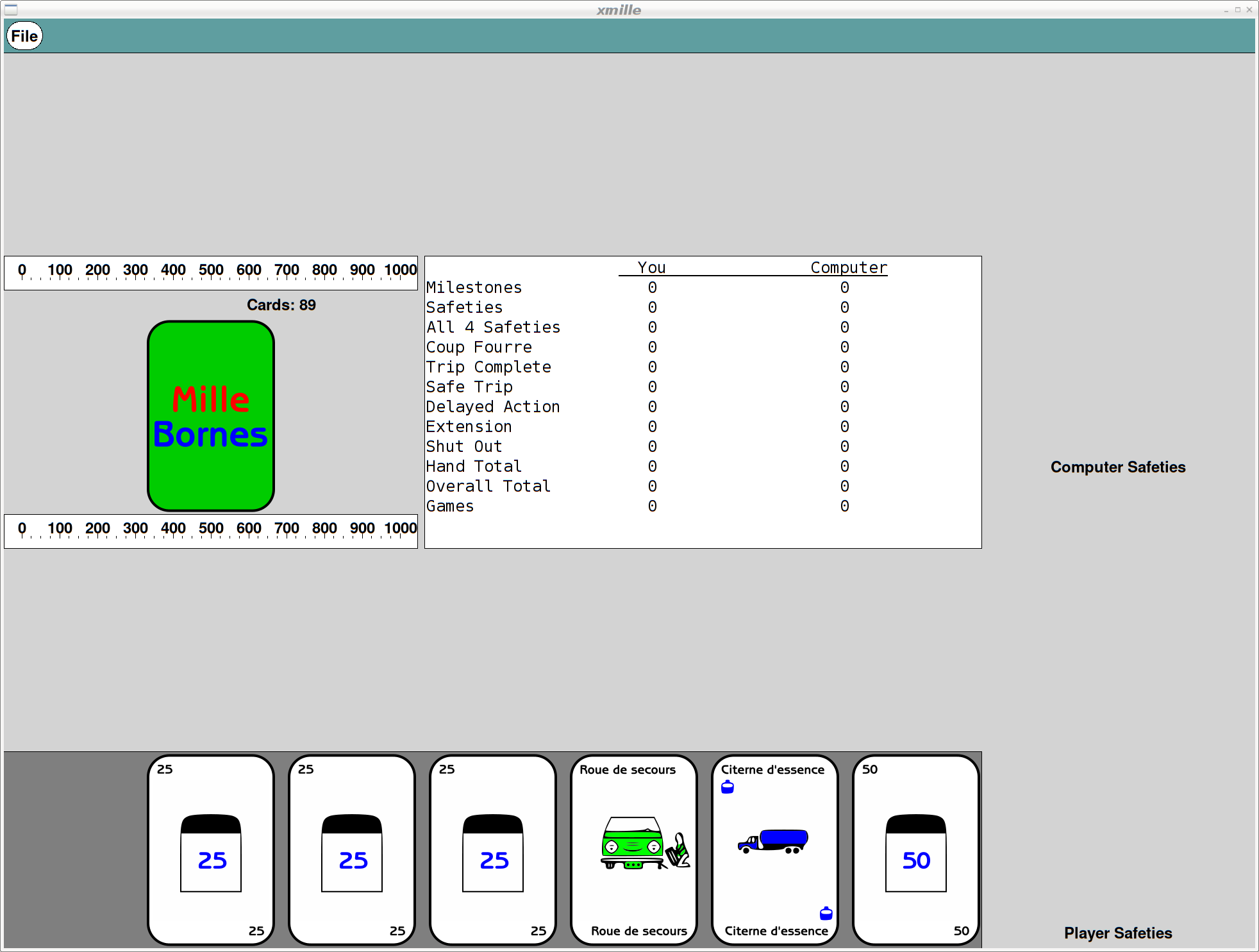
Here's what Xmille looks like after the upgrades:
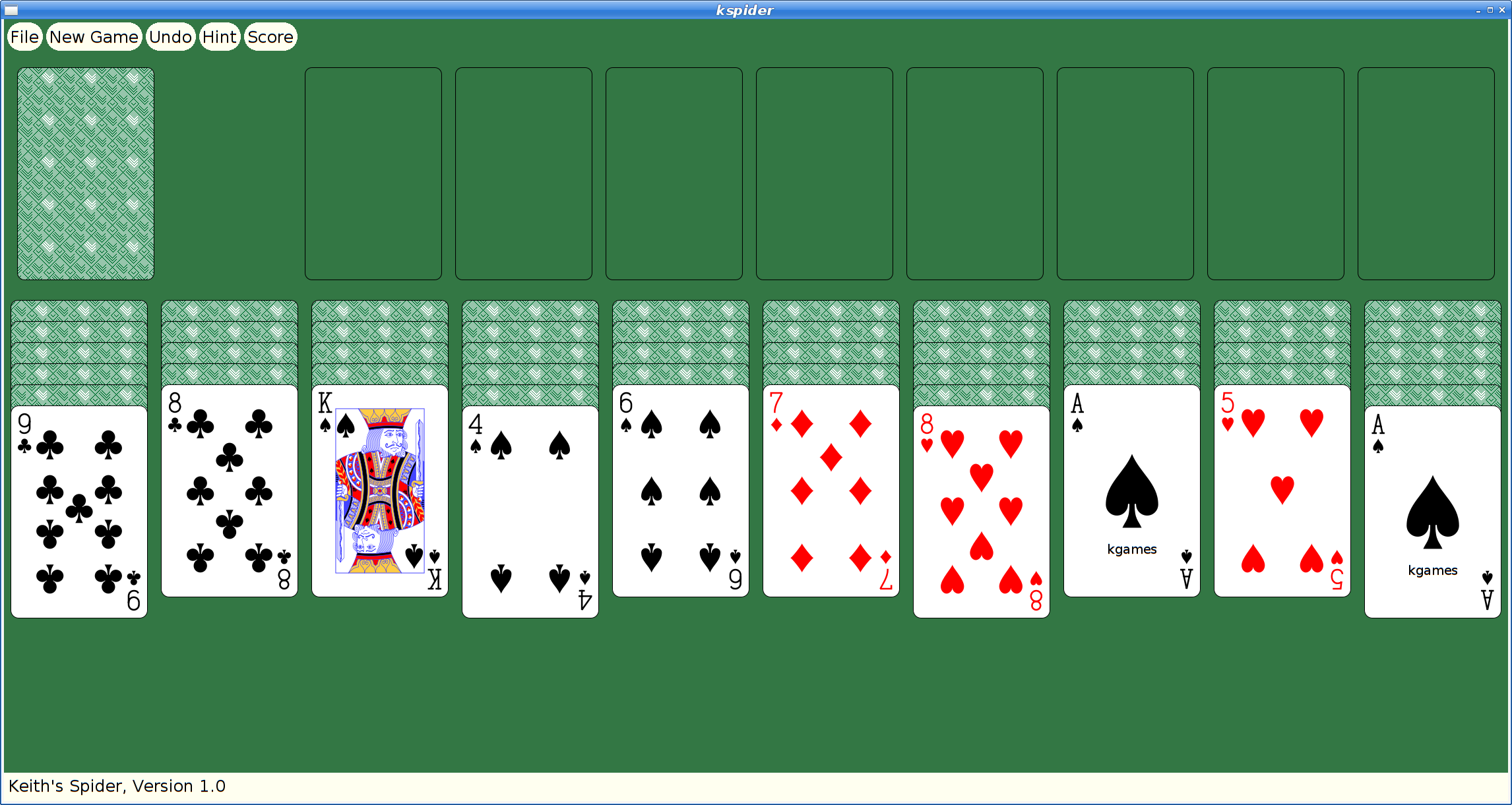
And here's spider:
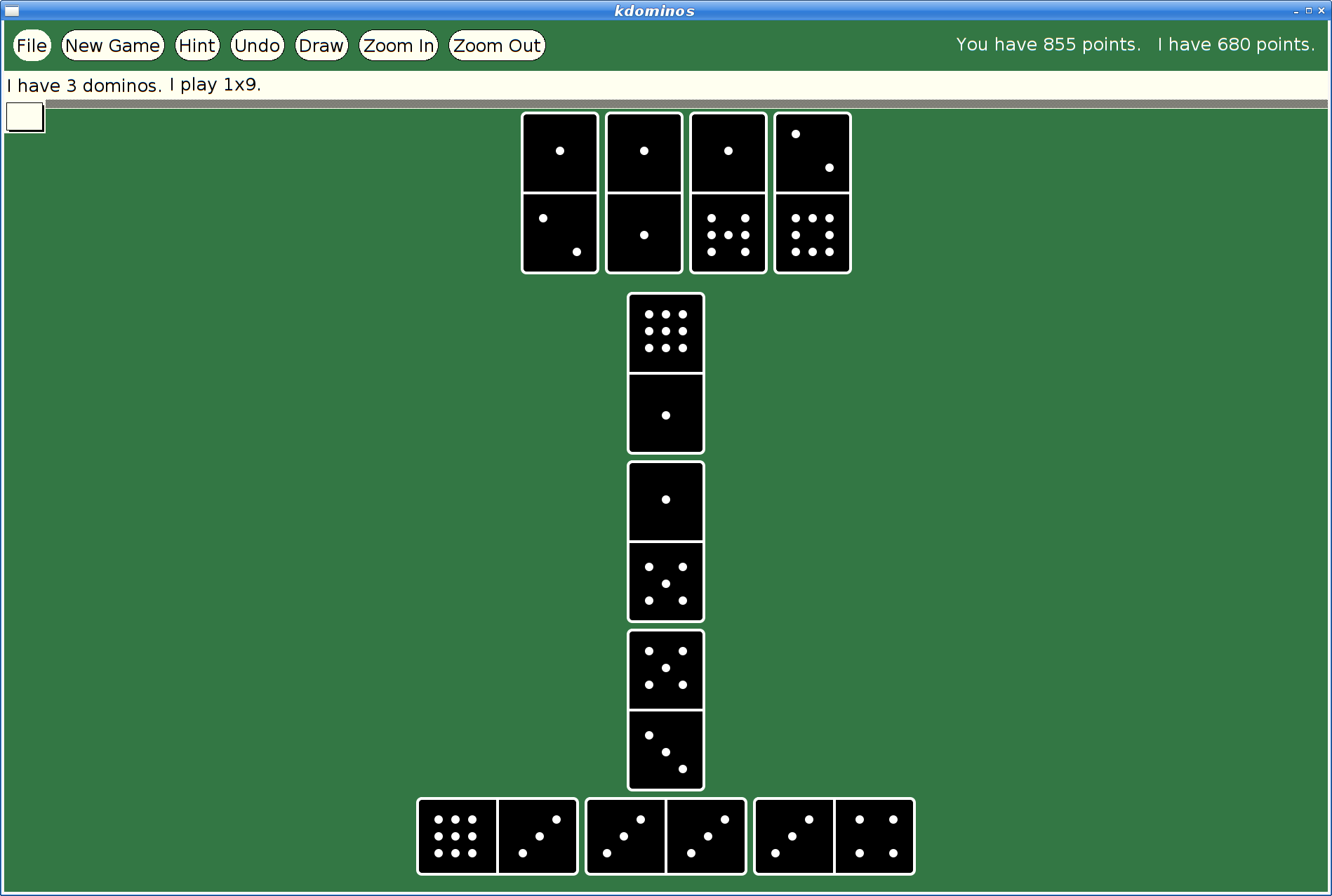
Once kgames 1.0 reaches Debian unstable, I'll upload these new versions.
Prototyping a Vulkan Extension — VK_MESA_present_period
I've been messing with application presentation through the Vulkan API for quite a while now, first starting by exploring how to make head-mounted displays work by creating DRM leases as described in a few blog posts: 1, 2, 3, 4.
Last year, I presented some work towards improving frame timing accuracy at the X developers conference. Part of that was about the Google Display Timing extension.
VK_GOOGLE_display_timing
VK_GOOGLE_display_timing is really two extensions in one:
Report historical information about when frames were shown to the user.
Allow applications to express when future frames should be shown to the user.
The combination of these two is designed to allow applications to get frames presented to the user at the right time. The biggest barrier to having things work perfectly all of the time is that the GPU has finite rendering performance, and can easily get behind if the application asks it to do more than it can in the time available.
When this happens, the previous frame gets stuck on the screen for extra time, and then the late frame gets displayed. In fact, because the software queues up a pile of stuff, several frames will often get delayed.
Once the application figures out that something bad happened, it can adjust future rendering, but the queued frames are going to get displayed at some point.
The problem is that the application has little control over the cadence of frames once things start going wrong.
Imagine the application is trying to render at 1/2 the native frame rate. Using GOOGLE_display_timing, it sets the display time for each frame by spacing them apart by twice the refresh interval. When a frame misses its target, it will be delayed by one frame. If the subsequent frame is ready in time, it will be displayed just one frame later, instead of two. That means you see two glitches, one for the delayed frame and a second for the "early" frame (not actually early, just early with respect to the delayed frame).
Specifying Presentation Periods
Maybe, instead of specifying when frames should be displayed, we should specify how long frames should be displayed. That way, when a frame is late, subsequent queued frames will still be displayed at the correct relative time. The application can use the first part of GOOGLE_display_timing to figure out what happened and correct at some later point, being careful to avoid generating another obvious glitch.
I really don't know if this is a better plan, but it seems worth experimenting with, so I decided to write some code and see how hard it was to implement.
Going In The Wrong Direction
At first, I assumed I'd have to hack up the X server, and maybe the kernel itself to make this work. So I started specifying changes to the X present extension and writing a pile of code in the X server.
Queuing the first presentation to the kernel was easy; with no previous presentation needing to be kept on the screen for a specified period, it just gets sent right along.
For subsequent presentations, I realized that I needed to wait until I learned when the earlier presentations actually happened, which meant waiting for a kernel event. That kernel event immediately generates an X event back to the Vulkan client, telling it when the presentation occurred.
Once I saw that both X and Vulkan were getting the necessary information at about the same time, I realized that I could wait in the Vulkan code rather than in the X server.
Window-system Independent Implementation
As part of the GOOGLE_display_timing implementation, each window system tells the common code when presentations have happened to record that information for the application. This provides the hook I need to send off pending presentations using that timing information to compute when they should be presented.
Almost. The direct-to-display (DRM) back-end worked great, but the X11 back-end wasn't very prompt about delivering this timing information, preferring to process X events (containing the timing information) only when the application was blocked in vkAcquireNextImageKHR. I hacked in a separate event handling thread so that events would be processed promptly and got things working.
VK_MESA_present_period
An application uses VK_MESA_present_period by including a VkPresentPeriodMESA structure in the pNext chain in the VkPresentInfoKHR structure passed to the vkQueuePresentKHR call.
typedef struct VkPresentPeriodMESA {
    VkStructureType    sType;
    const void*        pNext;
    uint32_t           swapchainCount;
    const int64_t*     pPresentPeriods;
} VkPresentPeriodMESA;
The fields in this structure are:
- sType. Set to VK_STRUCTURE_TYPE_PRESENT_PERIOD_MESA
- pNext. Points to the next extension structure in the chain (if any).
- swapchainCount. A copy of the swapchainCount field in the VkPresentInfoKHR structure.
- pPresentPeriods. An array, length swapchainCount, of presentation periods for each image in the call.
Positive presentation periods represent nanoseconds. Negative presentation periods represent frames. A zero value means the extension does not affect the associated presentation. Nanosecond values are rounded to the nearest upcoming frame so that a value of n * refresh_interval is the same as using a value of n frames.
The presentation period causes future images to be delayed at least until the specified interval after this image has been presented. Specifying both a presentation period in a previous frame and using GOOGLE_display_timing is well defined -- the presentation will be delayed until the later of the two times.
Status and Plans
The prototype (it's a bit haphazard, I'm afraid) code is available in my gitlab mesa repository. It depends on my GOOGLE_display_timing implementation, which has not been merged yet, so you may want to check that out to understand what this patch does.
As far as the API goes, I could easily be convinced to use some better way of switching between frames and nanoseconds, otherwise I think it's in pretty good shape.
I'm looking for feedback on whether this seems like a useful way to improve frame timing in Vulkan. Comments on how the code might be better structured would also be welcome; I'm afraid I open-coded a singly linked list in my haste...
Linux.conf.au 2020
I just got back from linux.conf.au 2020 on Saturday and am still adjusting to being home again. I had the opportunity to give three presentations during the conference and wanted to provide links to the slides and videos.
Picolibc
My first presentation was part of the Open ISA miniconf on Monday. I summarized the work I've been doing on a fork of Newlib called Picolibc which targets 32- and 64- bit embedded processors.
Snek
Wednesday morning, I presented on my snek language, which is a small Python designed for introducing programming in an embedded environment. I've been using this for the last year or more in a middle-school environment (grades 5-7) as a part of a LEGO robotics class.
X History and Politics
Bradley Kuhn has been encouraging me to talk about the early politics of X and how that has shaped my views on the benefits of copyleft licenses in building strong communities, especially in driving corporate cooperation and collaboration. I would have loved to also give this talk as a part of the Copyleft Conference being held in Brussels after FOSDEM, but I won't be at that event. This talk spans the early years of X, covering events up through 1992 or so.
Window Scaling
One of the ideas we had in creating the compositing mechanism was to be able to scale window contents for the user -- having the window contents available as an image provides for lots of flexibility for presentation.
However, while we've seen things like “overview mode” (presenting all of the application windows scaled and tiled for easy selection), we haven't managed to interact with windows in scaled form. That is, until yesterday.
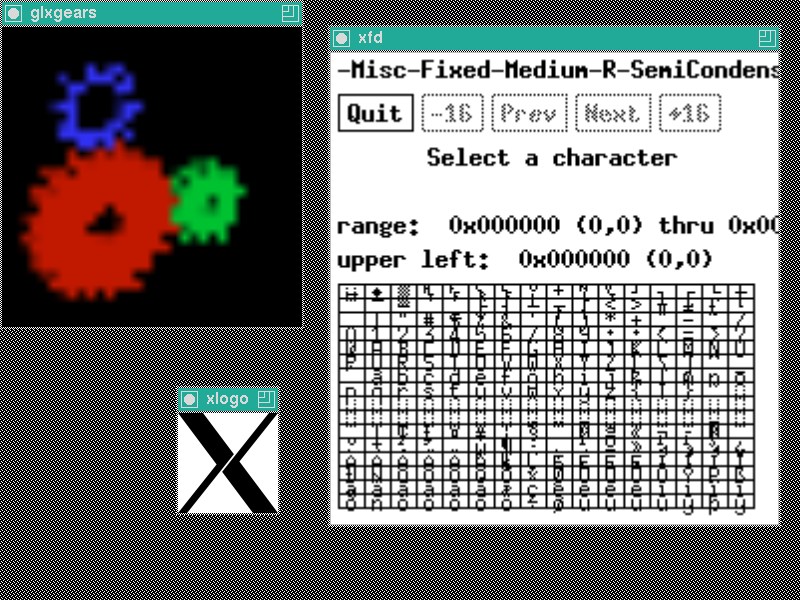
glxgears thinks the window is only 32x32 pixels in size. xfd is scaled by a factor of 2. xlogo is drawn at the normal size.
Two Window Sizes
The key idea for window scaling is to have the X server keep track of two different window sizes -- the sarea occupied by the window within its parent, and the area available for the window contents, including descendents. For now, at least, the origin of the window is the same between these two spaces, although I don't think there's any reason they would have to be.
Current Size. This is the size as seen from outside the window, and as viewed by all clients other than the owner of the window. It reflects the area within the parent occupied by the window, including the area which captures pointer events. This can probably use a better name.
Owner Size. This is the size of the window viewed from inside the window, and as viewed by the owner of the window. When composited, the composite pixmap gets allocated at this size. When automatically composited, the X server will scale the image of the window from this size to the current size.
Clip Lists
Normally, when computing the clip list for a composited window, the X server uses the current size of the window (aka the “borderSize” region) instead of just the porition of the window which is not clipped by the ancestor or sibling windows. This is how we capture output which is covered by those windows and can use it to generate translucent effects.
With an output size set, instead of using the current size, I use the owner size instead. All un-redirected descendents are thus clipped to this overall geometry.
Sub Windows
Descendent windows are left almost entirely alone; they keep their original geometry, both position and size. Because the output sized window retains its original position, all of the usual coordinate transformations 'just work'. Of course, the clipping computations will start with a scaled clip list for the output sized window, so the descendents will have different clipping. There's suprisingly little effect otherwise.
Output Handling
When an owner size is set, the window gets compositing enabled. The composite pixmap is allocate at the owner size instead of the current size. When no compositing manager is running, the automatic compositing painting code in the server now scales the output from the output size to the current size.
Most X applications don't have borders, but I needed to figure out what to do in case one appeared. I decided that the boarder should be the same size in the output and current presentations. That's about the only thing that I could get to make sense; the border is 'outside' the window size, so if you want to make the window contents twice as big, you want to make the window size twice as big, not some function of the border width.
About the only trick was getting the transformation from output size to current size correct in the presence of borders. That took a few iterations, but I finally just wrote down a few equations and solved for the necessary values. Note that Render transforms take destination space coordinates and generate source space coordinates, so they appear “backwards”. While Render supports projective transforms, this one is just scaling and translation, so we just need:
x_output_size = A * x_current_size + B
Now, we want the border width for input and output to be the same, which means:
border_width + output_size = A * (border_width + current_size) + B
border_width               = A * border_width                   + B
Now we can solve for A:
output_size = A * current_size
A = output_size / current_size
And for B:
border_width = output_size / current_size * border_width + B
B = (1 - output_size / current_size) * border_width
With these, we can construct a suitable transformation matrix:
⎡ Ax  0 Bx ⎤
⎢  0 Ay By ⎥
⎣  0  0  1 ⎦
Input Handling
Input device root coordinates need to be adjusted for owner sized windows. If you nest an owner sized window inside another owner sized window, then there are two transformations involved.
There are actually two places where these transformations need to be applied:
To compute which window the pointer is in. If an output sized window has descendents, then the position of the pointer within the output window needs to be scaled so that the correct descendent is identified as containing the pointer.
To compute the correct event coordinates when sending events to the window. I decided not to attempt to separate the window owner from other clients for event delivery; all clients see the same coordinates in events.
Both of these require the ability to transform the event coordinates relative to the root window. To do that, we translate from root coordinates to window coordinates, scale by the ratio of output to current size and then translate back:
void
OwnerScaleCoordinate(WindowPtr pWin, double *xd, double *yd)
{
    if (wOwnerSized(pWin)) {
        *xd = (*xd - pWin->drawable.x) * (double) wOwnerWidth(pWin) /
            (double) pWin->drawable.width + pWin->drawable.x;
        *yd = (*yd - pWin->drawable.y) * (double) wOwnerHeight(pWin) /
            (double) pWin->drawable.height + pWin->drawable.y;
    }
}
This moves the device to the scaled location within the output sized windows. Performing this transformation from the root window down to the target window adjusts the position correctly even when there is more than one output sized window among the window ancestry.
Case 1. is easy; XYToWindow, and the associated miSpriteTrace function, already traverse the window tree from the root for each event. Each time we descend through a window, we apply the transformation so that subsequent checks for descendents will check the correct coordinates. At each step, I use OwnerScaleCoordinate for the transformation.
Case 2. means taking an arbitrary window and walking up the window tree to the root and then performing each transformation on the way back down. Right now, I'm doing this recursively, but I'm reasonably sure it could be done iteratively instead:
void
ScaleRootCoordinate(WindowPtr pWin, double *xd, double *yd)
{
    if (pWin->parent)
        ScaleRootCoordinate(pWin->parent, xd, yd);
    OwnerScaleCoordinate(pWin, xd, yd);
}
Events and Replies
To make the illusion for the client work, everything the client hears about the window needs to be adjusted so that the window seems to be the owner size and not the current size.
Input events. The root coordinates are modified as described above, and then the window-relative coordinates are computed as usual—by subtracting the window origin from the root position. That's because the windows are all left in their original location.
ConfigureNotify events. These events are rewritten before being delivered to the owner so that the width and height reflect the owner size. Because window managers send synthetic configure notify events when moving windows, I also had to rewrite those events, or the client would get the wrong size information.
PresentConfigureNotify events. For these, I decided to rewrite the size values for all clients. As these are intended to be used to allocate window buffers for presentation, the right size is always the owner size.
OwnerWindowSizeNotify events. I created a new event so that the compositing manager could track the owner size of all child windows. That's necessary because the X server only performs the output size scaling operation for automatically redirected windows; if the window is manually redirected, then the compositing manager will have to perform the scaling operation instead.
GetGeometry replies. These are rewritten for the window owner to reflect the owner size value. Other clients see the current size instead.
GetImage replies. I haven't done this part yet, but I think I need to scale the window image for clients other than the owner. In particular, xwd currently fails with a Match error when it sees a window with a non-default visual that has an output size smaller than the window size. It tries to perform a GetImage operation using the current size, which fails when the server tries to fetch that rectangle from the owner-sized window pixmap.
Composite Extension Changes
I've stuck all of this stuff into the Composite extension; mostly because you need to use Composite to capture the scaled window output anyways.
12. Composite Events (0.5 and later)
Version 0.5 of the extension defines an event selection mechanism and a couple of events.
COMPOSITEEVENTTYPE {
    CompositePixmapNotify = 0
    CompositeOwnerWindowSizeNotify = 1
}
Event type delivered in events
COMPOSITEEVENTMASK {
    CompositePixmapNotifyMask = 0x0001
    CompositeOwnerWindowSizeNotifyMask = 0x0002
}
Event select mask for CompositeSelectInput
⎡
⎢    CompositeSelectInput
⎢
⎢                window:                                Window
⎢                enable                                SETofCOMPOSITEEVENTMASK
⎣
This request selects the set of events that will be delivered to the client from the specified window.
CompositePixmapNotify
    type:            CARD8          XGE event type (35)
    extension:       CARD8          Composite extension request number
    sequence-number: CARD16
    length:          CARD32         0
    evtype:          CARD16         CompositePixmapNotify
    window:          WINDOW
    windowWidth:     CARD16
    windowHeight:    CARD16
    pixmapWidth:     CARD16
    pixmapHeight:    CARD16
This event is delivered whenever the composite pixmap for a window is created, changed or deleted. When the composite pixmap is deleted, pixmapWidth and pixmapHeight will be zero. The client can call NameWindowPixmap to assign a resource ID for the new pixmap.
13. Output Window Size (0.5 and later)
⎡
⎢    CompositeSetOwnerWindowSize
⎢
⎢                window:                                Window
⎢                width:                                 CARD16
⎢                height:                                CARD16
⎣
This request specifies that the owner-visible window size will be set to the provided value, overriding the actual window size as seen by the owner. If composited, the composite pixmap will be created at this size. If automatically composited, the server will scale the output from the owner size to the current window size.
If the window is mapped, an UnmapWindow request is performed automatically first. Then the owner size is set. A CompositeOwnerWindowSizeNotify event is then generated. Finally, if the window was originally mapped, a MapWindow request is performed automatically.
Setting the width and height to zero will clear the owner size value and cause the window to resume normal behavior.
Input events will be scaled from the actual window size to the owner size for all clients.
A Match error is generated if:
- The window is a root window
- One, but not both, of width/height is zero
And, of course, you can retrieve the current size too:
⎡
⎢    CompositeGetOwnerWindowSize
⎢
⎢                window:                                Window
⎢
⎢                →
⎢
⎢                width:                                 CARD16
⎢                height:                                CARD16
⎣
This request returns the current owner window size, if set. Otherwise it returns 0,0, indicating that there is no owner window size set.
CompositeOwnerWindowSizeNotify
    type:            CARD8          XGE event type (35)
    extension:       CARD8          Composite extension request number
    sequence-number: CARD16
    length:          CARD32         0
    evtype:          CARD16         CompositeOwnerWindowSizeNotify
    window:          WINDOW
    windowWidth:     CARD16
    windowHeight:    CARD16
    ownerWidth:      CARD16
    ownerHeight:     CARD16
This event is generated whenever the owner size of the window is set. windowWidth and windowHeight report the current window size. ownerWidth and ownerHeight report the owner window size.
Git repositories
These changes are in various repositories at gitlab.freedesktop.org all using the “window-scaling” branch:
And here's a sample command line app which modifies the owner scaling value for an existing window:
Current Status
This stuff is all very new; I started writing code on Friday evening and got a simple test case working. I then spent Saturday making most of it work, and today finding a pile of additional cases that needed handling. I know that GetImage is broken; I'm sure lots of other stuff is also not quite right.
I'd love to get feedback on whether the API and feature set seem reasonable or not.
Composite acceleration in the X server
One of the persistent problems with the modern X desktop is the number of moving parts required to display application content. Consider a simple PresentPixmap call as made by the Vulkan WSI or GL using DRI3:
Application calls PresentPixmap with new contents for its window
X server receives that call and pends any operation until the target frame
At the target frame, the X server copies the new contents into the window pixmap and delivers a Damage event to the compositor
The compositor responds to the damage event by copying the window pixmap contents into the next screen pixmap
The compositor calls PresentPixmap with the new screen contents
The X server receives that call and either posts a Swap call to the kernel or delays any action until the target frame
This sequence has a number of issues:
The operation is serialized between three processes with at least three context switches involved.
There is no traceable relation between when the application asked for the frame to be shown and when it is finally presented. Nor do we even have any way to tell the application what time that was.
There are at least two copies of the application contents, from DRI3 buffer to window pixmap and from window pixmap to screen pixmap.
We'd also like to be able to take advantage of the multi-plane capabilities in the display engine (where available) to directly display the application contents.
Previous Attempts
I've tried to come up with solutions to this issue a couple of times in the past.
Composite Redirection
My first attempt to solve (some of) this problem was through composite redirection. The idea there was to directly pass the Present'd pixmap to the compositor and let it copy the contents directly from there in constructing the new screen pixmap image. With some additional hand waving, the idea was that we could associate that final presentation with all of the associated redirected compositing operations and at least provide applications with accurate information about when their images were presented.
This fell apart when I tried to figure out how to plumb the necessary events through to the compositor and back. With that, and the realization that we still weren't solving problems inherent with the three-process dance, nor providing any path to using overlays, this solution just didn't seem worth pursuing further.
Automatic Compositing
More recently, Eric Anholt and I have been discussing how to have the X server do all of the compositing work by natively supporting ARGB window content. By changing compositors to place all screen content in windows, the X server could then generate the screen image by itself and not require any external compositing manager assistance for each frame.
Given that a primitive form of automatic compositing is already supported, extending that to support ARGB windows and having the X server manage the stack seemed pretty tractable. We would extend the driver interface so that drivers could perform the compositing themselves using a mixture of GPU operations and overlays.
This runs up against five hard problems though.
Making transitions between Manual and Automatic compositing seamless. We've seen how well the current compositing environment works when flipping compositing on and off to allow full-screen applications to use page flipping. Lots of screen flashing and application repaints.
Dealing with RGB windows with ARGB decorations. Right now, the window frame can be an ARGB window with the client being RGB; painting the client into the frame yields an ARGB result with the A values being 1 everywhere the client window is present.
Mesa currently allocates buffers exactly the size of the target drawable and assumes that the upper left corner of the buffer is the upper left corner of the drawable. If we want to place window manager decorations in the same buffer as the client and not need to copy the client contents, we would need to allocate a buffer large enough for both client and decorations, and then offset the client within that larger buffer.
Synchronizing window configuration and content updates with the screen presentation. One of the major features of a compositing manager is that it can construct complete and consistent frames for display; partial updates to application windows need never be shown to the user, nor does the user ever need to see the window tree partially reconfigured. To make this work with automatic compositing, we'd need to both codify frame markers within the 2D rendering stream and provide some method for collecting window configuration operations together.
Existing compositing managers don't do this today. Compositing managers are currently free to paint whatever they like into the screen image; requiring that they place all screen content into windows would mean they'd have to buy in to the new mechanism completely. That could still work with older X servers, but the additional overhead of more windows containing decoration content would slow performance with those systems, making migration less attractive.
I can think of plausible ways to solve the first three of these without requiring application changes, but the last two require significant systemic changes to compositing managers. Ick.
Semi-Automatic Compositing
I was up visiting Pierre-Loup at Valve recently and we sat down for a few hours to consider how to help applications regularly present content at known times, and to always know precisely when content was actually presented. That names just one of the above issues, but when you consider the additional work required by pure manual compositing, solving that one issue is likely best achieved by solving all three.
I presented the Automatic Compositing plan and we discussed the range of issues. Pierre-Loup focused on the last problem -- getting existing Compositing Managers to adopt whatever solution we came up with. Without any easy migration path for them, it seemed like a lot to ask.
He suggested that we come up with a mechanism which would allow Compositing Managers to ease into the new architecture and slowly improve things for applications. Towards that, we focused on a much simpler problem
How can we get a single application at the top of the window stack to reliably display frames at the desired time, and to know when that doesn't occur.
Coming up with a solution for this led to a good discussion and a possible path to a broader solution in the future.
Steady-state Behavior
Let's start by ignoring how we start and stop this new mode and look at how we want applications to work when things are stable:
- Windows not moving around
- Other applications idle
Let's get a picture I can use to describe this:
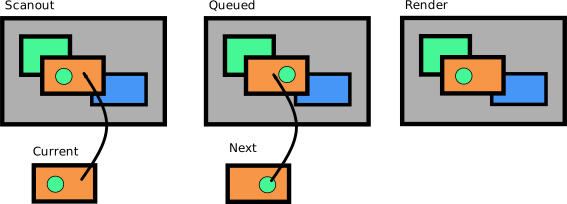
In this picture, the compositing manager is triple buffered (as is normal for a page flipping application) with three buffers:
Scanout. The image currently on the screen
Queued. The image queued to be displayed next
Render. The image being constructed from various window pixmaps and other elements.
The contents of the Scanout and Queued buffers are identical with the exception of the orange window.
The application is double buffered:
Current. What it has displayed for the last frame
Next. What it is constructing for the next frame
Ok, so in the steady state, here's what we want to happen:
Application calls PresentPixmap with 'Next' for its window
X server receives that call and copies Next to Queued.
X server posts a Page Flip to the kernel with the Queued buffer
Once the flip happens, the X server swaps the names of the Scanout and Queued buffers.
If the X server supports Overlays, then the sequence can look like:
Application calls PresentPixmap
X server receives that call and posts a Page Flip for the overlay
When the page flip completes, the X server notifies the client that the previous Current buffer is now idle.
When the Compositing Manager has content to update outside of the orange window, it will:
Compositing Manager calls PresentPixmap
X server receives that call and paints the Current client image into the Render buffer
X server swaps Render and Queued buffers
X server posts Page Flip for the Queued buffer
When the page flip occurs, the server can mark the Scanout buffer as idle and notify the Compositing Manager
If the Orange window is in an overlay, then the X server can skip step 2.
The Auto List
To give the Compositing Manager control over the presentation of all windows, each call to PresentPixmap by the Compositing Manager will be associated with the list of windows, the "Auto List", for which the X server will be responsible for providing suitable content. Transitioning from manual to automatic compositing can therefore be performed on a window-by-window basis, and each frame provided by the Compositing Manager will separately control how that happens.
The Steady State behavior above would be represented by having the same set of windows in the Auto List for the Scanout and Queued buffers, and when the Compositing Manager presents the Render buffer, it would also provide the same Auto List for that.
Importantly, the Auto List need not contain only children of the screen Root window. Any descendant window at all can be included, and the contents of that drawn into the image using appropriate clipping. This allows the Compositing Manager to draw the window manager frame while the client window is drawn by the X server.
Any window at all can be in the Auto List. Windows with PresentPixmap contents available would be drawn from those. Other windows would be drawn from their window pixmaps.
Transitioning from Manual to Auto
To transition a window from Manual mode to Auto mode, the Compositing Manager would add it to the Auto List for the Render image, and associate that Auto List with the PresentPixmap request for that image. For the first frame, the X server may not have received a PresentPixmap for the client window, and so the window contents would have to come from the Window Pixmap for the client.
I'm not sure how we'd get the Compositing Manager to provide another matching image that the X server can use for subsequent client frames; perhaps it would just create one itself?
Transitioning from Auto to Manual
To transition a window from Auto mode to Manual mode, the Compositing manager would remove it from the Auto List for the Render image and then paint the window contents into the render image itself. To do that, the X server would have to paint any PresentPixmap data from the client into the window pixmap; that would be done when the Compositing Manager called GetWindowPixmap.
New Messages Required
For this to work, we need some way for the Compositing Manager to discover windows that are suitable for Auto composting. Normally, these will be windows managed by the Window Manager, but it's possible for them to be nested further within the application hierarchy, depending on how the application is constructed.
I think what we want is to tag Damage events with the source window, and perhaps additional information to help Compositing Managers determine whether it should be automatically presenting those source windows or a parent of them. Perhaps it would be helpful to also know whether the Damage event was actually caused by a PresentPixmap for the whole window?
To notify the server about the Auto List, a new request will be needed in the Present extension to set the value for a subsequent PresentPixmap request.
Actually Drawing Frames
The DRM module in the Linux kernel doesn't provide any mechanism to remove or replace a Page Flip request. While this may get fixed at some point, we need to deal with how it works today, if only to provide reasonable support for existing kernels.
I think about the best we can do is to set a timer to fire a suitable time before vblank and have the X server wake up and execute any necessary drawing and Page Flip kernel calls. We can use feedback from the kernel to know how much slack time there was between any drawing and the vblank and adjust the timer as needed.
Given that the goal is to provide for reliable display of the client window, it might actually be sufficient to let the client PresentPixmap request drive the display; if the Compositing Manager provides new content for a frame where the client does not, we can schedule that for display using a timer before vblank. When the Compositing Manager provides new content after the client, it would be delayed until the next frame.
Changes in Compositing Managers
As described above, one explicit goal is to ease the burden on Compositing Managers by making them able to opt-in to this new mechanism for a limited set of windows and only for a limited set of frames. Any time they need to take control over the screen presentation, a new frame can be constructed with an empty Auto List.
Implementation Plans
This post is the first step in developing these ideas to the point where a prototype can be built. The next step will be to take feedback and adapt the design to suit. Of course, there's always the possibility that this design will also prove unworkable in practice, but I'm hoping that this third attempt will actually succeed.
DRM leasing part three (vblank)
The last couple of weeks have been consumed by getting frame sequence numbers and events handled within the leasing environment (and Vulkan) correctly.
Vulkan EXT_display_control extension
This little extension provides the bits necessary for applications to track the display of frames to the user.
VkResult
vkGetSwapchainCounterEXT(VkDevice           device,
             VkSwapchainKHR         swapchain,
             VkSurfaceCounterFlagBitsEXT    counter,
             uint64_t           *pCounterValue);
This function just retrieves the current frame count from the display associated with swapchain.
VkResult
vkRegisterDisplayEventEXT(VkDevice          device,
              VkDisplayKHR          display,
              const VkDisplayEventInfoEXT   *pDisplayEventInfo,
              const VkAllocationCallbacks   *pAllocator,
              VkFence           *pFence);
This function creates a fence that will be signaled when the specified event happens. Right now, the only event supported is when the first pixel of the next display refresh cycle leaves the display engine for the display. If you want something fancier (like two frames from now), you get to do that on your own using this basic function.
drmWaitVBlank
drmWaitVBlank is the existing interface for all things sequence related and has three modes (always nice to have one function do three things, I think). It can:
- Query the current vblank number
- Block until a specified vblank number
- Queue an event to be delivered at a specific vblank number
This interface has a few issues:
It has been kludged into supporting multiple CRTCs by taking bits from the 'type' parameter to hold a 'pipe' number, which is the index in the kernel into the array of CRTCs.
It has a random selection of 'int' and 'long' datatypes in the interface, making it need special helpers for 32-bit apps running on a 64-bit kernel.
Times are in microseconds, frame counts are 32 bits. Vulkan does everything in nanoseconds and wants 64-bits of frame counts.
For leases, figuring out the index into the kernel list of crtcs is pretty tricky -- our lease has a subset of those crtcs, so we can't actually compute the global crtc index.
drmCrtcGetSequence
int drmCrtcGetSequence(int fd, uint32_t crtcId,
               uint64_t *sequence, uint64_t *ns);
Here's a simple new function — hand it a crtc ID and it provides the current frame sequence number and the time when that frame started (in nanoseconds).
drmCrtcQueueSequence
int drmCrtcQueueSequence(int fd, uint32_t crtcId,
                 uint32_t flags, uint64_t sequence,
             uint64_t user_data);

struct drm_event_crtc_sequence {
    struct drm_event    base;
    __u64           user_data;
    __u64           time_ns;
    __u64           sequence;
};
This will cause a CRTC_SEQUENCE event to be delivered at the start of the specified frame sequence. That event will include the frame when the event was actually generated (in case it's late), along with the time (in nanoseconds) when that frame was started. The event also includes a 64-bit user_data value, which can be used to hold a pointer to whatever data the application wants to see in the event handler.
The 'flags' argument contains a combination of:
#define DRM_CRTC_SEQUENCE_RELATIVE      0x00000001  /* sequence is relative to current */
#define DRM_CRTC_SEQUENCE_NEXT_ON_MISS      0x00000002  /* Use next sequence if we've missed */
#define DRM_CRTC_SEQUENCE_FIRST_PIXEL_OUT   0x00000004  /* Signal when first pixel is displayed */
These are similar to the values provided for the drmWaitVBlank function, except I've added a selector for when the event should be delivered to align with potential future additions to Vulkan. Right now, the only time you can ask for is first-pixel-out, which says that the event should correspond to the display of the first pixel on the screen.
DRM events → Vulkan fences
With the kernel able to deliver a suitable event at the next frame, all the Vulkan code needed was a to create a fence and hook it up to such an event. The existing fence code only deals with rendering fences, so I added window system interface (WSI) fencing infrastructure and extended the radv driver to be able to handle both kinds of fences within that code.
Multiple waiting threads
I've now got three places which can be waiting for a DRM event to appear:
Frame sequence fences.
Wait for an idle image. Necessary when you want an image to draw the next frame to.
Wait for the previous flip to complete. The kernel can only queue one flip at a time, so we have to make sure the previous flip is complete before queuing another one.
Vulkan allows these to be run from separate threads, so I needed to deal with multiple threads waiting for a specific DRM event at the same time.
XCB has the same problem and goes to great lengths to manage this with a set of locking and signaling primitives so that only one thread is ever doing poll or read from the socket at time. If another thread wants to read at the same time, it will block on a condition variable which is then signaled by the original reader thread at the appropriate time. It's all very complicated, and it didn't work reliably for a number of years.
I decided to punt and just create a separate thread for processing all DRM events. It blocks using poll(2) until some events are readable, processes those and then broadcasts to a condition variable to notify any waiting threads that 'something' has happened. Each waiting thread simply checks for the desired condition and if not satisfied, blocks on that condition variable. It's all very simple looking, and seems to work just fine.
Code Complete, Validation Remains
At this point, all of the necessary pieces are in place for the VR application to take advantage of an HMD using only existing Vulkan extensions. Those will be automatically mapped into DRM leases and DRM events as appropriate.
The VR compositor application is working pretty well; tests with Dota 2 show occasional jerky behavior in complex scenes, so there's clearly more work to be done somewhere. I need to go write a pile of tests to independently verify that my code is working. I wonder if I'll need to wire up some kind of light sensor so I can actually tell when frames get displayed as it's pretty easy to get consistent-but-wrong answers in this environment.
Source Code
Linux. This is based off of a reasonably current drm-next branch from Dave Airlie. 965 commits past 4.12 RC3.
git://people.freedesktop.org/~keithp/linux drm-lease-v3
X server (which includes xf86-video-modesetting). This is pretty close to master.
git://people.freedesktop.org/~keithp/xserver drm-lease
RandR protocol changes
git://people.freedesktop.org/~keithp/randrproto drm-lease
xcb proto (no changes to libxcb sources, but it will need to be rebuilt)
git://people.freedesktop.org/~keithp/xcb/proto drm-lease
DRM library. About a dozen patches behind master.
git://people.freedesktop.org/~keithp/drm drm-lease
Mesa. Branched early this month (4 June), this is pretty far from master.
git://people.freedesktop.org/~keithp/mesa drm-lease
DRM leasing part three (Vulkan)
With the kernel APIs off for review, and the X RandR bits looking like they're in reasonable shape, I finally found some time to sit down and figure out how I wanted to integrate this into Vulkan.
Avoiding two DRM file descriptors
Given that a DRM lease is represented by a DRM master file descriptor, we want to use that for all of the operations in the driver, including rendering and mode setting. Using the vulkan driver render node and the lease master node together would require passing buffer objects between the kernel contexts using even more file descriptors.
The Mesa Vulkan drivers open the device nodes while enumerating devices, not when they are created. This seems a bit early to me, but it makes sure that the devices being enumerated are actually available for use, and not just present in the system. To replace the render node fd with the lease master fd means hooking into the system early enough that the enumeration code can see the lease fd. And that means creating an instance extension as the instance gets created before devices are enumerated.
The VK_KEITHP_kms_display instance extension
This simple instance extension provides the necessary hooks to get the lease information from the application down into the driver before the DRM node is opened. In the first implementation, I added a function that could be called before the devices were enumerated to save the information in the Vulkan loader. That worked, but required quite a bit of study of the Vulkan loader and its XML description of the full Vulkan API.
Mark Young suggested that a simpler plan would be to chain the information into the VkInstanceCreateInfo pNext field; with no new APIs added to Vulkan, there shouldn't be any need to change the Vulkan loader -- the device driver would advertise the new instance extension and the application could find it.
That would have worked great, except the Vulkan loader 'helpfully' elides all instance extensions it doesn't know about before returning the list to the application. I'd say this was a bug and should be fixed, but for now, I've gone ahead and added the few necessary definitions to the loader to make it work.
In the application, it's a simple matter of searching for this extension, constructing the VkKmsDisplayInfoKEITHP structure, chaining that into the VkInstanceCreateInfo pNext list and passing that in to the vkCreateInstance call.
typedef struct VkKmsDisplayInfoKEITHP {
    VkStructureType         sType;  /* VK_STRUCTURE_TYPE_KMS_DISPLAY_INFO_KEITHP */
    const void*             pNext;
    int                     fd;
    uint32_t                crtc_id;
    uint32_t                *connector_ids;
    int                     connector_count;
    drmModeModeInfoPtr      mode;
} VkKmsDisplayInfoKEITHP;
As you can see, this includes the master file descriptor along with all of the information necessary to set the desired video mode using the specified resources.
The driver just walks the pNext list from the VkInstanceCreateInfo structure looking for any provided VkKmsDisplayInfoKEITHP structure and pulls the data out.
To avoid questions about file descriptor lifetimes, the driver dup's the provided fd. The application is expected to close their copy at a suitable time.
The VK_KHR_display extension
Vulkan already has an API for directly accessing the raw device, including code for exposing video modes and everything. As tempting as it may be to just go do something simpler, there's a lot to be said for using existing APIs.
This extension doesn't provide any direct APIs for acquiring display resources, relying on the VK_EXT_acquire_xlib_display extension for that part. And that takes a VkPhysicalDisplay parameter, which is only available after the device is opened, which is why I created the VK_KEITHP_kms_display extension instead of just using the VK_EXT_acquire_xlib_display extension -- we can't increase the capabilities of the render node opened by the driver, and we don't want to keep two file descriptors around.
With the information provided by the VK_KEITHP_kms_display extension, we can implement all of the VK_KHR_display extension APIs, including enumerating planes and modes and creating the necessary display surface. Of course, there's only one plane and one mode, so some of the implementation is pretty simplistic.
The big piece of work was to create the swap chain structure and associated frame buffers.
A working example
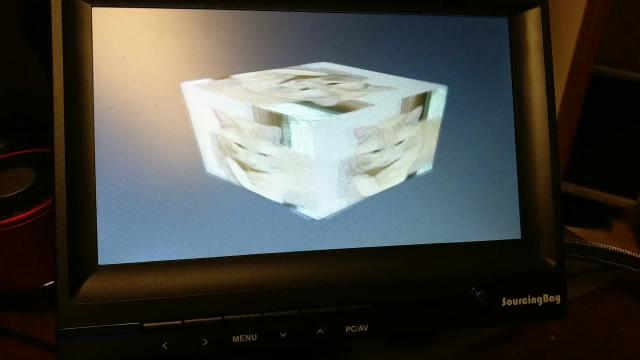
I've taken the 'cube' example from the Vulkan loader and hacked it up to use XCB to construct a DRM lease, the VK_KEITHP_kms_display extension to pass that lease into the Vulkan driver. The existing support for the VK_KHR_display extension "just worked", which was pretty satisfying.
It's a bit of a mess
I'm not satisfied with the mesa code at this point; there's a bunch of code in the radeon driver which should be in the vulkan WSI bits, and the vulkan WSI bits should probably not have the KMS interfaces wired in. I'll ask around and see what other Mesa developers think I should do before restructuring it further; I'll probably have to rewrite it all at least one more time before it's ready to upstream.
Seeing the code
I'll be cleaning the code up a bit before sending it out for review, but it's already visible in my own repositories:
DRM leasing part deux (kernel side)
I've stabilized the kernel lease implementation so that leases now work reliably, and don't require a reboot before running the demo app a second time. Here's whats changed:
Reference counting is hard. I'm creating a new drm_master, which means creating a new file. There were a bunch of reference counting errors in my first pass; I've cleaned those up while also reducing the changes needed to the rest of the DRM code.
Added a 'mask_lease' value to the leases -- this controls whether resources in the lease are hidden from the lessor, allowing the lessor to continue to do operations on the leased resources if it likes.
Hacked the mutex locking assertions to not crash in normal circumstances. I'm now doing:
BUG_ON(__mutex_owner(&master->dev->mode_config.idr_mutex) != current);
to make sure the mutex is held by the current thread, instead of just making sure some thread holds the mutex. I have this memory of a better way to do this, but now I can't dig it up. Suggestions welcome, of course.
I'm reasonably pleased with the current state of the code, although I want to squash the patches together so that only the final state of the design is represented, rather than the series of hacks present now.
Comments on #dri-devel
I spent a bit of time on the #dri-devel IRC channel answering questions about the DRM-lease design and the changes above reflect that.
One concern was about mode setting from two masters at the same time. Mode setting depends on a number of shared 'hidden' resources; things like memory fifos and the like. If either lessee or lessor wants to change the displayed modes, they may fail due to conflicts over these resources and not be able to recover easily.
A related concern was that the current TEST/render/commit mechanism used by compositors may no longer be reliable as another master could change hidden resource usage between the TEST and commit operations. Daniel Vetter suggested allowing the lessor to 'exclude' lessee mode sets during this operation.
One solution would be to have the lessor set the mode on the leased resources before ceding control of the objects, and once set, the lessee shouldn't perform additional mode setting operations. This would limit the flexibility in the lessee quite a bit as it wouldn't be able to pop up overlay planes or change resolution.
Questions
Let's review the questions from my last post, DRM-lease:
What should happen when a Lessor is closed? Should all access to controlled resources be revoked from all descendant Lessees?
Answer: The lessor is referenced by the lessee and isn't destroyed until it has been closed and all lessees are destroyed.
How about when a Lessee is closed? Should the Lessor be notified in some way?
Answer: I think so? Need to figure out a mechanism here.
CRTCs and Encoders have properties. Should these properties be automatically included in the lease?
Answer -- no, userspace is responsible for constructing the entire lease.
Remaining Kernel Work
The code is running, and appears stable. However, it's not quite done yet. Here's a list of remaining items that I know about:
Changing leases should update sub-leases. When you reduce the resources in one lease, the kernel should walk any sub-leases and clear out resources which the lessor no longer has access to.
Sending events when leases are created/destroyed. When a lease is created, if the mask_lease value is set, then the lessor should get regular events describing the effective change. Similarly, both lessor and lessee should get events when a lease is changed.
Refactoring the patch series to squash intermediate versions of the new code.
Remaining Other Work
Outside of the kernel, I'll be adding X support for this operation. Here's my current thinking:
Extend RandR to add a lease-creation request that returns a file descriptor. This will take a mode and the server will set that mode before returning.
Provide some EDID-based matching for HMD displays in the X server. The goal is to 'hide' these from the regular desktop so that the HMD screen doesn't flicker with desktop content before the lease is created. I think what I want is to let an X client provide some matching criteria and for it to get an event when a output is connected with matching EDID information.
With that, I think this phase of the project will be wrapped up and it will be time to move on to actually hooking up a real HMD and hacking the VR code to use this new stuff.
Seeing the code
For those interested in seeing the state of the code so far, there's kernel, drm and kmscube repositories here:
DRM display resource leasing (kernel side)
So, you've got a fine head-mounted display and want to explore the delights of virtual reality. Right now, on Linux, that means getting the window system to cooperate because the window system is the DRM master and holds sole access to all display resources. So, you plug in your device, play with RandR to get it displaying bits from the window system and then carefully configure your VR application to use the whole monitor area and hope that the desktop will actually grant you the boon of page flipping so that you will get reasonable performance and maybe not even experience tearing. Results so far have been mixed, and depend on a lot of pieces working in ways that aren't exactly how they were designed to work.
We could just hack up the window system(s) and try to let applications reserve the HMD monitors and somehow removing them from the normal display area so that other applications don't randomly pop up in the middle of the screen. That would probably work, and would take advantage of much of the existing window system infrastructure for setting video modes and performing page flips. However, we've got a pretty spiffy standard API in the kernel for both of those, and getting the window system entirely out of the way seems like something worth trying.
I spent a few hours in Hobart chatting with Dave Airlie during LCA and discussed how this might actually work.
Goals
Use KMS interfaces directly from the VR application to drive presentation to the HMD.
Make sure the window system clients never see the HMD as a connected monitor.
Maybe let logind (or other service) manage the KMS resources and hand them out to the window system and VR applications.
Limitations
- Don't make KMS resources appear and disappear. It turns out applications get confused when the set of available CRTCs, connectors and encoders changes at runtime.
An Outline for Multiple DRM masters
By the end of our meeting in Hobart, Dave had sketched out a fairly simple set of ideas with me. We'd add support in the kernel to create additional DRM masters. Then, we'd make it possible to 'hide' enough state about the various DRM resources so that each DRM master would automagically use disjoint subsets of resources. In particular, we would.
Pretend that connectors were always disconnected
Mask off crtc and encoder bits so that some of them just didn't seem very useful.
Block access to resources controlled by other DRM masters, just in case someone tried to do the wrong thing.
Refinement with Eric over Swedish Pancakes
A couple of weeks ago, Eric Anholt and I had breakfast at the original pancake house and chatted a bit about this stuff. He suggested that the right interface for controlling these new DRM masters was through the existing DRM master interface, and that we could add new ioctls that the current DRM master could invoke to create and manage them.
Leasing as a Model
I spent some time just thinking about how this might work and came up with a pretty simple metaphor for these new DRM masters. The original DRM master on each VT "owns" the output resources and has final say over their use. However, a DRM master can create another DRM master and "lease" resources it has control over to the new DRM master. Once leased, resources cannot be controlled by the owner unless the owner cancels the lease, or the new DRM master is closed. Here's some terminology:
- DRM Master
- Any DRM file which can perform mode setting.
- Owner
- The original DRM Master, created by opening /dev/dri/card*
- Lessor
- A DRM master which has leased out resources to one or more other DRM masters.
- Lessee
- A DRM master which controls resources leased from another DRM master. Each Lessee leases resources from a single Lessor.
- Lessee ID
- An integer which uniquely identifies a lessee within the tree of DRM masters descending from a single Owner.
- Lease
- The contract between the Lessor and Lessee which identifies which resources which may be controlled by the Lessee. All of the resources must be owned by or leased to the Lessor.
With Eric's input, the interface to create a lease was pretty simple to write down:
int drmModeCreateLease(int fd,
               const uint32_t *objects,
               int num_objects,
               int flags,
               uint32_t *lessee_id);
Given an FD to a DRM master, and a list of objects to lease, a new DRM master FD is returned that holds a lease to those objects. 'flags' can be any combination of O_CLOEXEC and O_NONBLOCK for the newly minted file descriptor.
Of course, the owner might want to take some resources back, or even grant new resources to the lessee. So, I added an interface that rewrites the terms of the lease with a new set of objects:
int drmModeChangeLease(int fd,
               uint32_t lessee_id,
               const uint32_t *objects,
               int num_objects);
Note that nothing here makes any promises about the state of the objects across changes in the lease status; the lessor and lessee are expected to perform whatever modesetting is required for the objects to be useful to them.
Window System Integration
There are two ways to integrate DRM leases into the window system environment:
Have logind "lease" most resources to the window system. When a HMD is connected, it would lease out suitable resources to the VR environment.
Have the window system "own" all of the resources and then add window system interfaces to create new DRM masters leased from its DRM master.
I'll probably go ahead and do 2. in X and see what that looks like.
One trick with any of this will be to hide HMDs from any RandR clients listening in on the window system. You probably don't want the window system to tell the desktop that a new monitor has been connected, have it start reconfiguring things, and then have your VR application create a new DRM master, making the HMD appear to have disconnected to the window system and have that go reconfigure things all over again.
I'm not sure how this might work, but perhaps having the VR application register something like a passive grab on hot plug events might make sense? Essentially, you want it to hear about monitor connect events, go look to see if the new monitor is one it wants, and if not, release that to other X clients for their use. This can be done in stages, with the ability to create a new DRM master over X done first, and then cleaning up the hotplug stuff later on.
Current Status
I hacked up the kernel to support the drmModeCreateLease API, and then hacked up kmscube to run two threads with different sets of KMS resources. That ran for nearly a minute before crashing and requiring a reboot. I think there may be some locking issues with page flips from two threads to the same device.
I think I also made the wrong decision about how to handle lessors closing down. I tried to let the lessors get deleted and then 'orphan' the lessees. I've rewritten that so that lessees hold a reference on their lessor, keeping the lessor in place until the lessee shuts down. I've also written the kernel parts of the drmModeChangeLease support.
Questions
What should happen when a Lessor is closed? Should all access to controlled resources be revoked from all descendant Lessees?
Proposed answer -- lessees hold a reference to their lessor so that the entire tree remains in place. A Lessor can clean up before exiting by revoking lessee access if it chooses.
How about when a Lessee is closed? Should the Lessor be notified in some way?
CRTCs and Encoders have properties. Should these properties be automatically included in the lease?
Proposed answer -- no, userspace is responsible for constructing the entire lease.
Consulting for Valve in my spare time
Valve Software has asked me to help work on a couple of Linux graphics issues, so I'll be doing a bit of consulting for them in my spare time. It should be an interesting diversion from my day job working for Hewlett Packard Enterprise on Memory Driven Computing and other fun things.
First thing on my plate is helping support head-mounted displays better by getting the window system out of the way. I spent some time talking with Dave Airlie and Eric Anholt about how this might work and have started on the kernel side of that. A brief synopsis is that we'll split off some of the output resources from the window system and hand them to the HMD compositor to perform mode setting and page flips.
After that, I'll be working out how to improve frame timing reporting back to games from a composited desktop under X. Right now, a game running on X with a compositing manager can't tell when each frame was shown, nor accurately predict when a new frame will be shown. This makes smooth animation rather difficult.